
You can’t read every comment. Sentiment can.
Tag your posts by series or topic, or describe a tag and let Sentiment apply it. Then see how each kind of post did and read what people said on those posts.
No card needed.
How each kind of post did
Median views per post, by tag, for posts published in the last 90 days.
All posts, 24.1kChoose a tag to read its comments.Demo data
What people said on Shop life posts
Comments by topic, from posts published in the last 90 days.
TagShop lifeDesk tour when it’s done? Please.
How do you keep dust off the finishing table?
The slower ones are my favourite thing you make.
Demo data
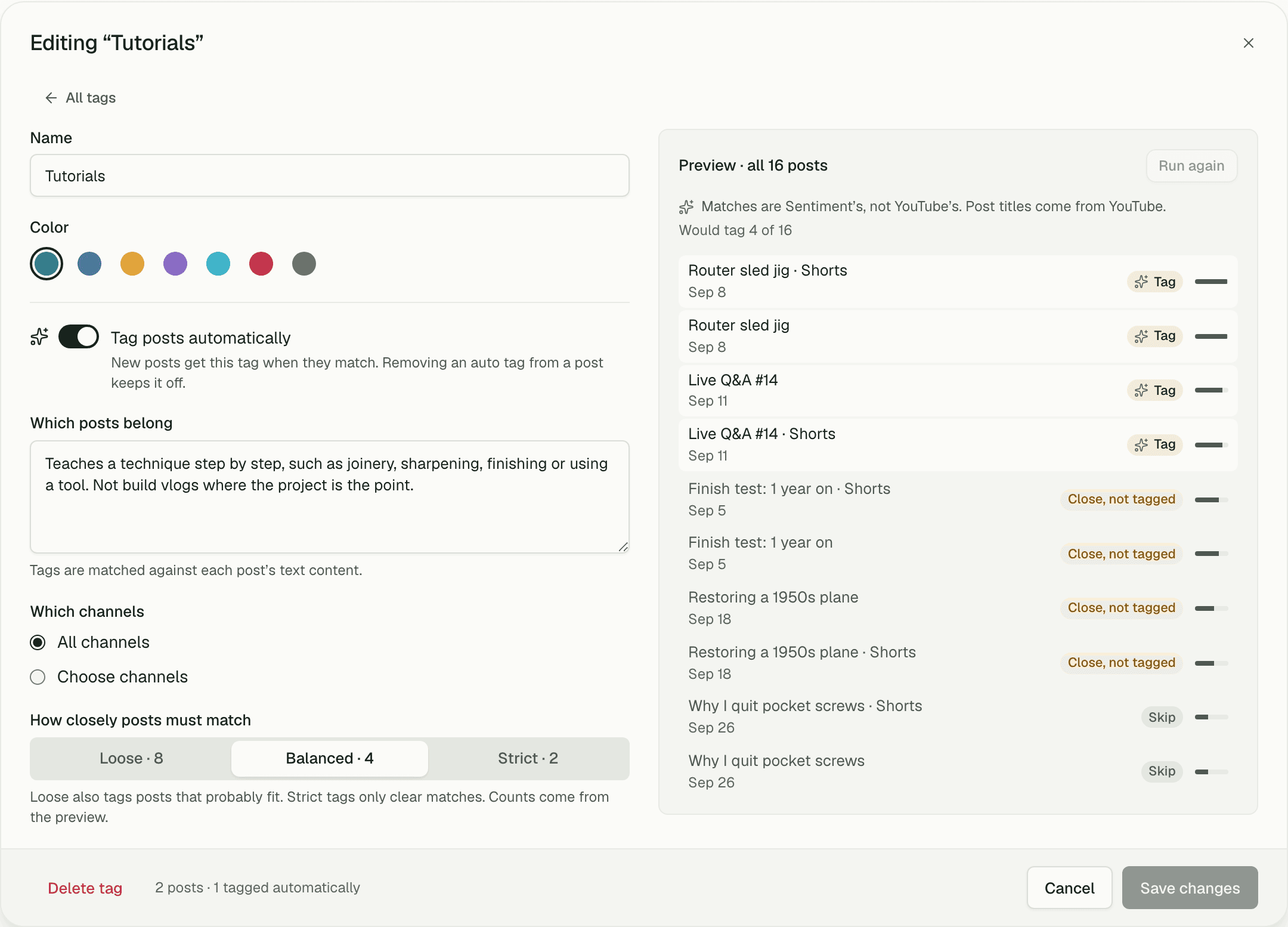
Describe a tag. Sentiment sorts your posts.
Write which posts belong in plain words and choose how closely they must match. Preview the matches on your past posts before you save. New posts get the tag when they match.
Then compare tags on a dashboard by median views, comments per 1,000 views or total views, and filter any dashboard to the posts with a tag.
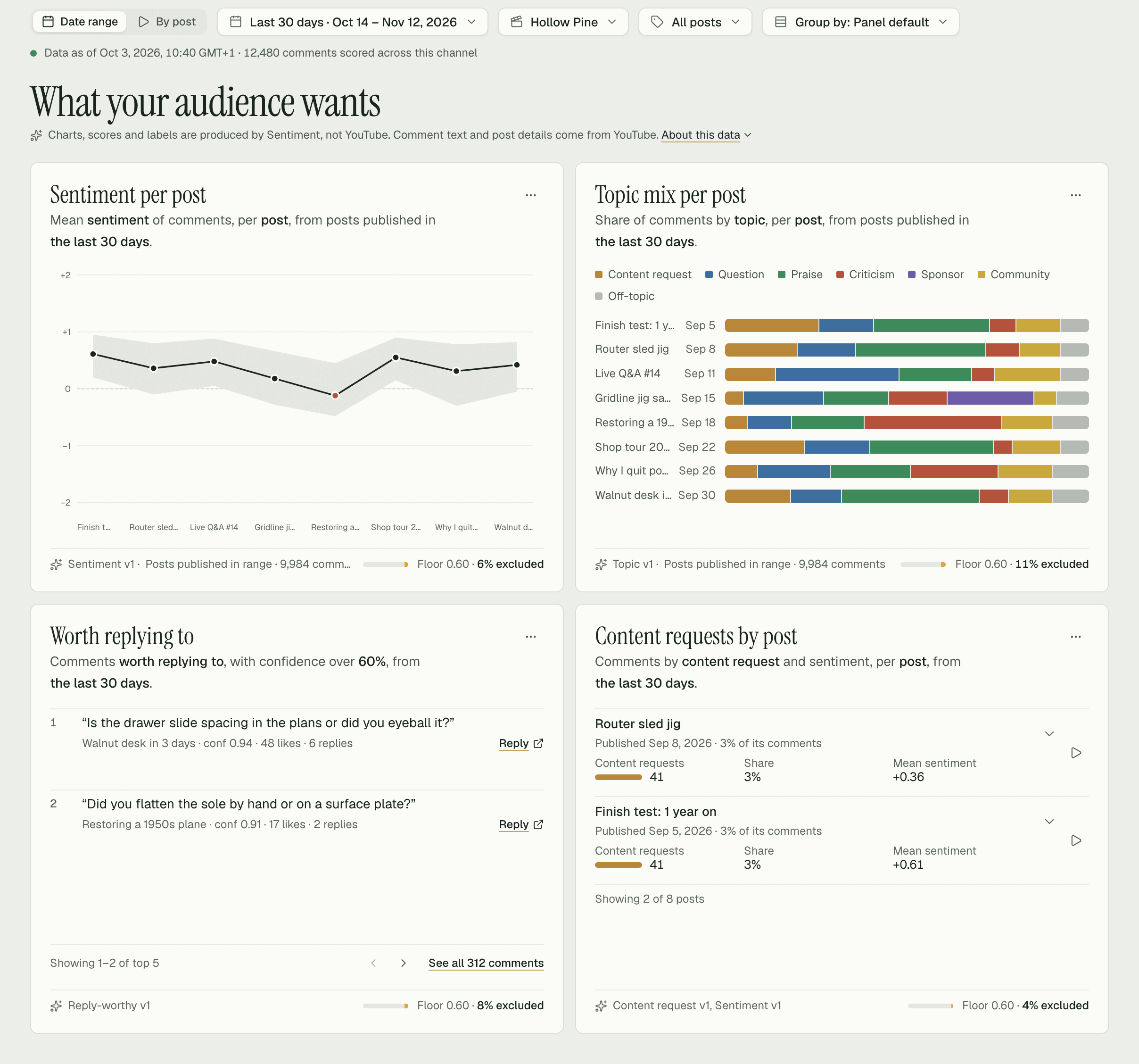
Every panel says what it’s asking.
Each panel writes its question out under the title, and you change it there: click a part to switch what it measures, how it groups or which dates it covers. Click a post on a chart or a row in a list to read the comments that put it there.
Demo workspace.
Ask the question you care about.
“Is this comment about buying something we showed or mentioned?”
Write it the way you’d ask a teammate and choose the answers it can give. Before you save it, run it on up to 50 of your most recent comments and read what it found.
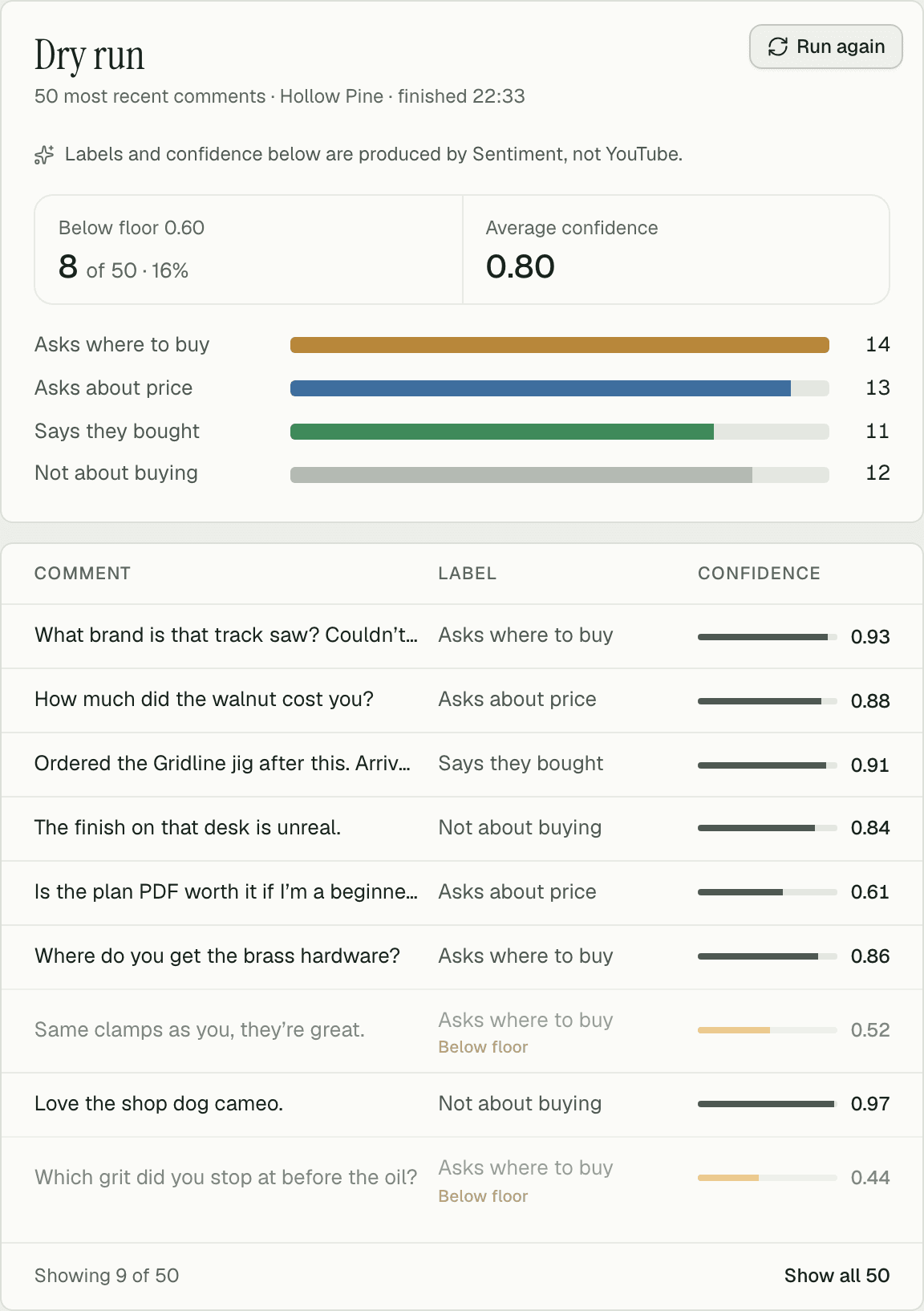
Choose which labels make the cut.
Every label comes with a confidence. Set a minimum for a chart, and labels below it stay out of the totals. The comments are still there when you want to read them.
Content requests, minimum 0.70
Demo data- Received Oct 9 · 20:41
Can you do a full video on the finish you used?
On Finish test: 1 year laterSentiment found Content requestconf 0.94 - Received Oct 9 · 18:12
A cutting board episode would be fun.
On Finish test: 1 year laterSentiment found Content requestconf 0.81 - Received Oct 8 · 16:30
Next time try it on oak?
On Finish test: 1 year laterSentiment found Content requestconf 0.66 · below floor - Received Oct 8 · 22:05
I’d watch you sand for an hour honestly.
On Finish test: 1 year laterSentiment found Content requestconf 0.58 · below floor
Supported platforms
- YouTubeAvailable now
- InstagramAvailable now
- XComing soon
Instagram: Business or Creator accounts. See how to connect.
Start free. Go deeper with Content Creator.
Free
$0/ month
No card needed.
- Channels1
- Post historyLast 90 days
- Standard insights: sentiment, topic, spam and moreIncluded
- Custom insightsNot included
- Dashboards and chartsIncluded
- Confidence filteringIncluded
- Tags on postsIncluded
- Auto taggingNot included
Content Creator
$34.99/ month
14 days free. Card required to start the trial.
- Channels3
- Post historyLast year
- Standard insights: sentiment, topic, spam and moreIncluded
- Custom insightsUp to 30
- Dashboards and chartsIncluded
- Confidence filteringIncluded
- Tags on postsIncluded
- Auto taggingIncluded
Check the comments before you chase the next trend.
Connect a channel and see what Sentiment finds in the comments you already have.