
Find the content requests in your comments
Use the comments behind a content request to decide whether it's worth a post, and what the post should cover.
Updated 25 October 2026
A request for a whole video can sit under a post for weeks, between a compliment and a question about your camera. Sentiment labels the comments that ask you to make something. Once you find one, read the other comments on the same subject before you plan anything: they tell you how many people want it and what exactly they're asking for.
The video uses a real channel. The examples here are from a demo channel, a woodworker whose recent post is "Walnut desk in 3 days."
Transcript
I'm going to show you how you can use Sentiment to track your content requests across posts on your channel.
So, this is the Sentiment dashboard. It's the out-of-the-box dashboard that you get, but it's very customizable. One of the features of this dashboard is a panel that shows you your content requests. You can go through some of them here if you want a quick look, or what I'm going to do is open this in a dedicated list view, and I'm going to sort this by likes. This lets you see comments that seem like they may be content requests, and how many likes they have.
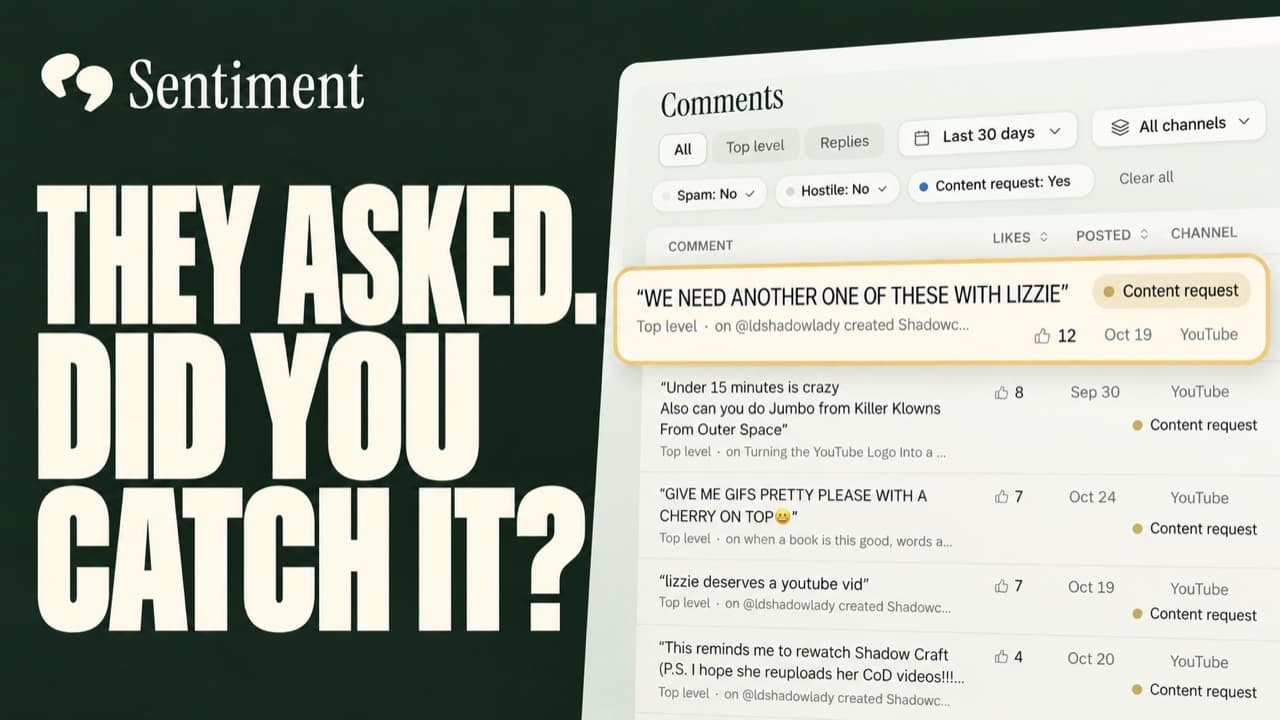
So how this works is, you hook up Sentiment to your channel and it will score your posts based on insights that have been set up. One of the out-of-the-box insights you get is "Is this comment a request for more content?" And we can see here, of the last 30 days, we can take a look and just see what the probable content requests are.
So, it looks like we have a couple of comments here about a video featuring Lizzie. As a content creator, you can go through these, and you can open up the comments right then and there.
I'll put a link in the description, and I'll put a link on the page to take you to Sentiment. At the time of recording, this is a very new product, and I would love your feedback as you're using this. Let me know what you like, let me know what you don't like, give me any feature requests. I am going to be super accommodating to them.
Find a request on your dashboard
Open the Content requests panel
Your dashboard has a panel called Content requests. It lists the comments Sentiment labels as asking you to make something, posted within the dashboard's date range. The range is the last 30 days until you change it, and it goes by when each comment was posted, so a new request on an old post still shows up.
Each row shows the comment, the post it's on, how confident the label is (conf), and its likes and replies. A row that starts with Replying to: is a reply, and that line quotes the comment it answers.
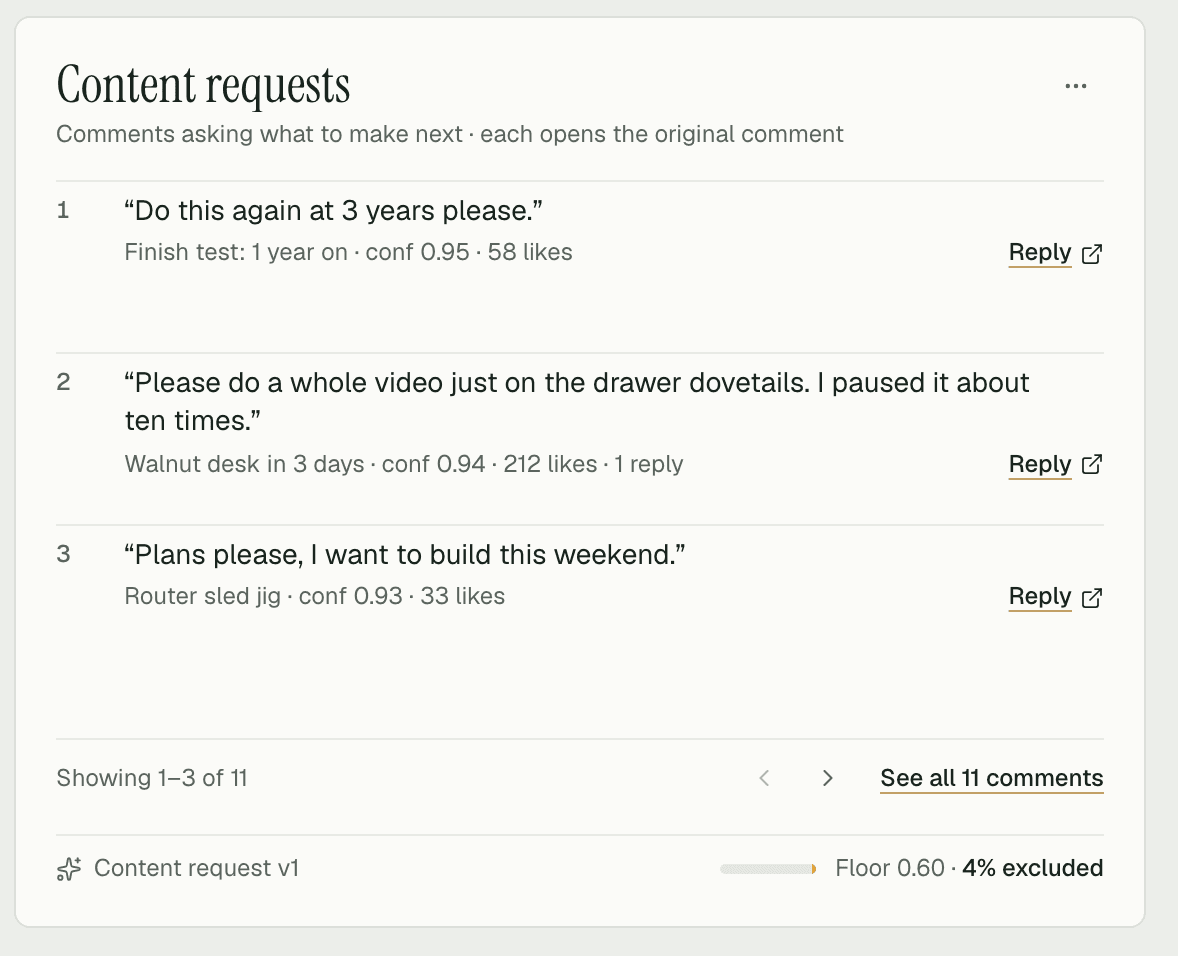
Demo data(1) The most-liked request is second. (2) See all opens every comment in the panel. Pick one request
The panel puts the comments it's most confident about first. Likes don't change the order, so check them as you read down. In the demo, the second row has almost four times the likes of the first:
“Please do a whole video just on the drawer dovetails. I paused it about ten times.”
Demo dataA viewer212 likesContent request
Read every comment on that subject
Open all the comments on that subject, including the ones Sentiment didn't label as requests.
Open the comments and search for the subject
At the bottom of the panel, select See all, the link that gives the number of comments (See all 11 comments in the demo). The Comments page opens with the panel's filters shown as chips, such as Content request: Yes. Remove that chip, then type a word from the request into Search comment text. Search matches part of a word, so "drawer" also finds "drawers". Then search for the other words people use for the same thing.
Demo dataWith the chip removed, a search finds every comment that uses the word, labelled as a request or not. Sort by likes
Select the Likes column header to put the most-liked comments first. Each row says whether it's a Reply or Top level. If a comment is cut off, select it to read the whole thing.
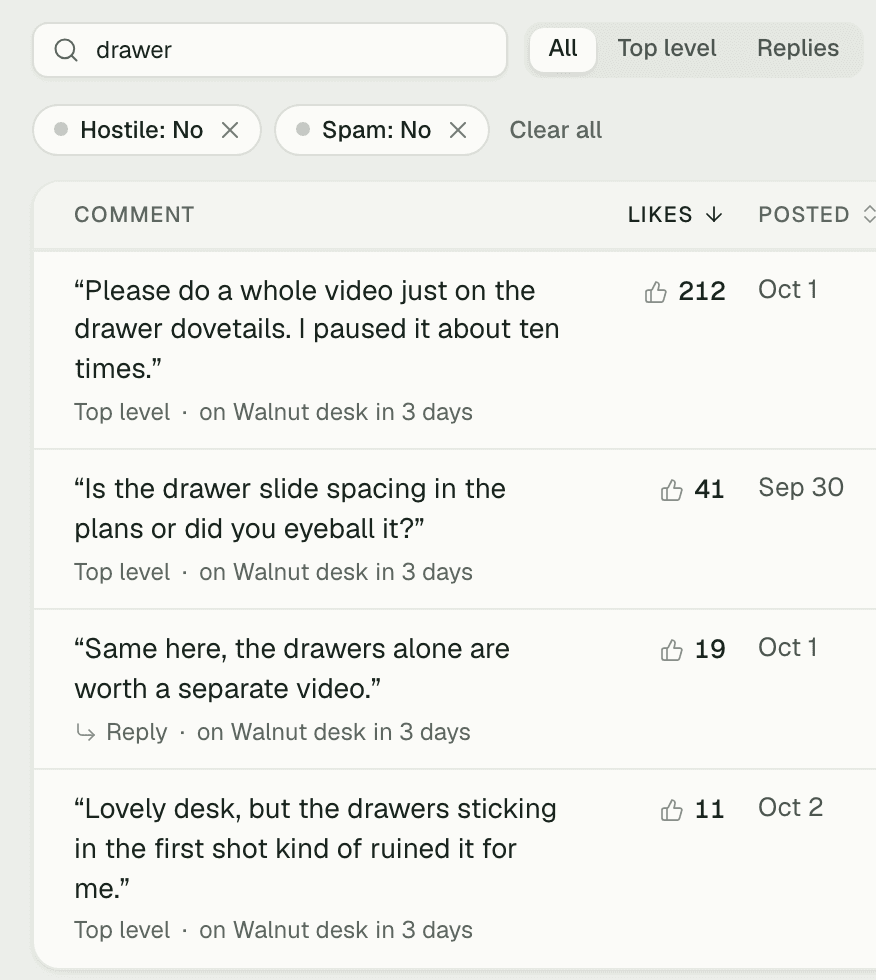
Demo data(1) The search. (2) The Likes column, sorted highest first.
In the demo, "drawer" finds four comments on the desk post, "dovetail" finds one more and "joinery" another. Four of the six ask for more on the drawers or the joinery: the dovetails comment, a second top-level comment with 148 likes, and a reply under each.
“Would watch a 40 minute version of only the joinery part.”
“Could you film the dovetails from above next time?”
The other two aren't labelled as requests. One asks whether the drawer slide spacing is in the plans. The other says the drawers were sticking in the first shot. Both go in the idea.
If the search turns up only the comment you started with, look at its likes, a rough count of the people who want the same thing.
Decide whether it needs a post or a reply
Some requests ask for something you can send rather than make. In the demo, this comment on the Router sled jig post is labelled as a request:
“Plans please, I want to build this weekend.”
If a request asks for a file, a link, a parts list or a quick answer, like these plans, reply with it. Reply on the panel's row opens the comment where it was posted.
Write the idea in their words
Write the idea as a short paragraph, using what the commenters asked for. For the drawers:
A long video on the walnut desk's drawers, only the joinery. Film the dovetails from above. Say whether the drawer slide spacing is in the plans. Someone noticed the drawers sticking in the first shot.
Check that each part comes from a comment you can open again.
When the video is out, go back to the Content requests panel and use Reply on each request it answers.
Find the requests in your own comments
Connect a channel and Sentiment lists the comments asking you to make something, each linked to the original.
Use Sentiment free